Comp Exporter
Move compositions between After Effects projects with all their footage dependencies intact. No more missing files or broken links.
Quick Export/Import
The fastest way to move comps between projects. Quick Export packages your selected comps and all their footage to a temporary folder. Quick Import pulls in the last quick export with one click. No file dialogs, no choosing destinations. Select, export, switch projects, import.
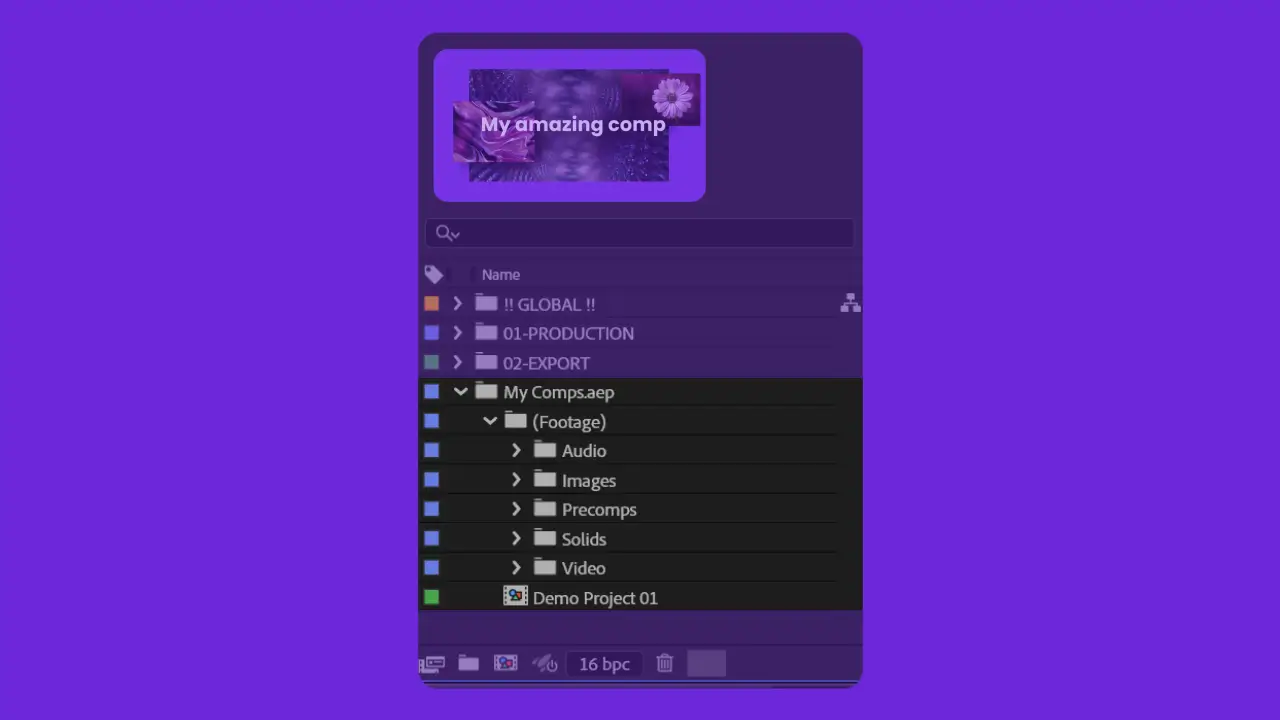
Organize by Type
Import into After Effects and instantly have a project that makes sense. Organize by type breaks footage into clean folders. Retain structure keeps the original layout. Both options relink everything automatically, so you can get straight to work.
Custom Export
Same flow as Quick Export/Import, only you choose where it goes. Pick your comps, set a destination, and only the footage they need gets packaged. Great for clean handoffs or storing projects for future use.
Frequently asked questions
Yes, it's a script panel that runs inside After Effects. Tested on both Mac and Windows.
After Effects CC and later.
If you want it to. You also have the choice of organizing your import by type, which cleanly sorts footage files into folders in After Effects based on file type.
Exports over 500MB trigger a confirmation prompt before proceeding. Large exports will take time depending on your hard drive read/write speed.
Yes. Comp Exporter is completely free for personal and commercial use.

Free. No strings attached.
Stop manually copying comps and relinking footage. Let Comp Exporter handle it.